> ## Documentation Index
> Fetch the complete documentation index at: https://docs.krait.io/llms.txt
> Use this file to discover all available pages before exploring further.
# Containers
> Connect your container environments to Krait to automatically uncover misconfigurations, vulnerabilities, and compliance issues across your images and workloads
At Krait, we secure your containerized infrastructure without ever compromising your data’s privacy. Your container images and configuration data are **never stored**. We only inspect them in real time to keep your workloads safe.
Once you connect your registries or container platforms, Krait immediately starts analyzing your images, manifests, and runtime settings.
Within minutes, you’ll get actionable insights on vulnerable packages, insecure configurations, exposed services, drift from best practices, and compliance gaps across your container ecosystem.
## Connecting Docker Hub
Krait can scan your Docker images directly from Docker Hub to detect vulnerabilities and security risks before they reach your environments.\
To enable this integration, you'll connect using a **Docker Personal Access Token**, a secure alternative to your account password.
Sign in to your Docker Hub account by visiting the
Once logged in, go to your profile and select **Account Settings**.
From **Settings**, go to **Personal Access Tokens**. Click **Generate new token**, provide a clear label such as **Krait Integration**, and add **Read, Write, Delete** access permission.
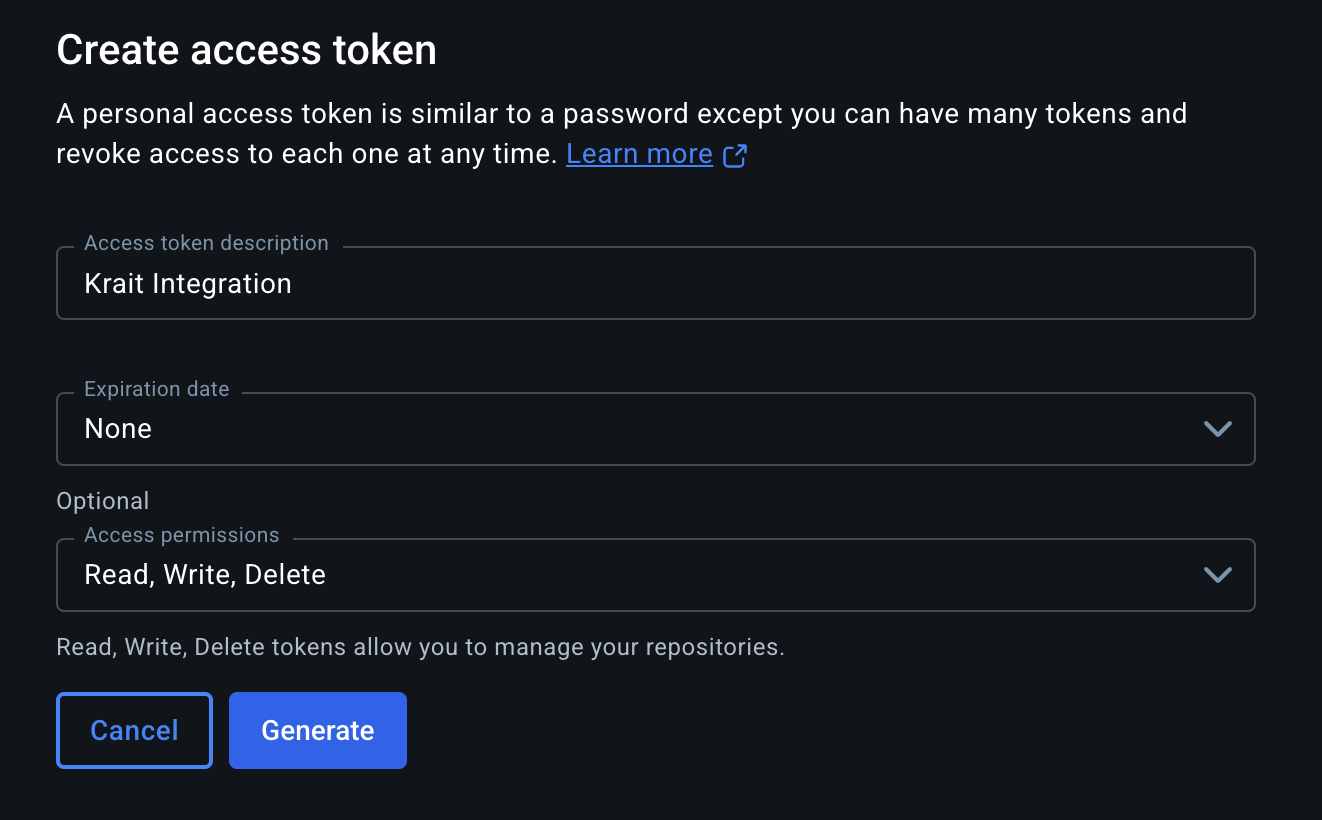 Docker will display the Access Token **only once**. Copy it and store it securely to authenticate Krait’s connection.
**In the Krait dashboard, go to Integrations, then Containers, then Docker, and click “Connect.” Enter your Docker Hub username and paste the Access Token you created.**
Krait will validate your credentials and securely connect your Docker Hub account. Once connected, Krait will begin scanning your container images for vulnerabilities.
## Disconnecting Docker Hub
To disconnect Docker integration, go to **Integrations** in the dashboard sidebar and select the section where **Container Registries** or **Docker** is listed. Identify **Docker** in your connected integrations and click **Disconnect**. Only a **workspace owner** can disconnect this integration. Confirm the prompt to finalize the removal. After disconnection, Krait will no longer access or scan Docker registries/containers. Reconnect Docker at any time from the integrations settings.
You may need to uninstall the **KraitDev** app from your Docker account manually.
## Connecting Docker to Code Repositories
At Krait, we know when your code and container are part of the same service, they often share the same vulnerabilities. Krait lets you link them together so duplicate findings are automatically merged. We give you a clean, unified issue list with no repeated noise to slow you down.
In the Krait dashboard, navigate to **Containers** and click **Link Repositories**.
Click on a container from the **Containers** list on the left to select it. A selected container will be highlighted.
Click on one or more repositories from the **Repositories** list on the right to link them to the selected container.
Click **Confirm** to save the connection. Krait will now correlate findings across the linked container and repository, deduplicating overlapping vulnerabilities in your feed.
Docker will display the Access Token **only once**. Copy it and store it securely to authenticate Krait’s connection.
**In the Krait dashboard, go to Integrations, then Containers, then Docker, and click “Connect.” Enter your Docker Hub username and paste the Access Token you created.**
Krait will validate your credentials and securely connect your Docker Hub account. Once connected, Krait will begin scanning your container images for vulnerabilities.
## Disconnecting Docker Hub
To disconnect Docker integration, go to **Integrations** in the dashboard sidebar and select the section where **Container Registries** or **Docker** is listed. Identify **Docker** in your connected integrations and click **Disconnect**. Only a **workspace owner** can disconnect this integration. Confirm the prompt to finalize the removal. After disconnection, Krait will no longer access or scan Docker registries/containers. Reconnect Docker at any time from the integrations settings.
You may need to uninstall the **KraitDev** app from your Docker account manually.
## Connecting Docker to Code Repositories
At Krait, we know when your code and container are part of the same service, they often share the same vulnerabilities. Krait lets you link them together so duplicate findings are automatically merged. We give you a clean, unified issue list with no repeated noise to slow you down.
In the Krait dashboard, navigate to **Containers** and click **Link Repositories**.
Click on a container from the **Containers** list on the left to select it. A selected container will be highlighted.
Click on one or more repositories from the **Repositories** list on the right to link them to the selected container.
Click **Confirm** to save the connection. Krait will now correlate findings across the linked container and repository, deduplicating overlapping vulnerabilities in your feed.