

Default Severity Scoring
By default, Krait uses CVSS version 3.1 to calculate vulnerability scores. Each vulnerability is assigned a numeric CVSS score (0.0–10.0), which is then mapped to a severity level using the following thresholds:- Low: 0.0 – 3.9
- Medium: 4.0 – 6.9
- High: 7.0 – 8.9
- Critical: 9.0 – 10.0
CVSS Metrics and Vectors
CVSS scores are calculated using a set of standardized metrics, including:- Attack Vector (AV)
- Attack Complexity (AC)
- Privileges Required (PR)
- User Interaction (UI)
- Scope (S)
- Confidentiality Impact (C)
- Integrity Impact (I)
- Availability Impact (A)
Modifying CVSS Scores
Krait allows users to manually adjust CVSS vectors for individual vulnerabilities. This is useful when:- The default scanner score does not accurately reflect real-world risk
- Environmental context reduces or increases exploitability
- Business impact differs from generic severity assumptions
Once updated, Krait recalculates the CVSS score and automatically updates the severity based on the configured thresholds.
How to Modify CVSS
By navigating to each finding from the dashboard, the user can modify the CVSS as per their need.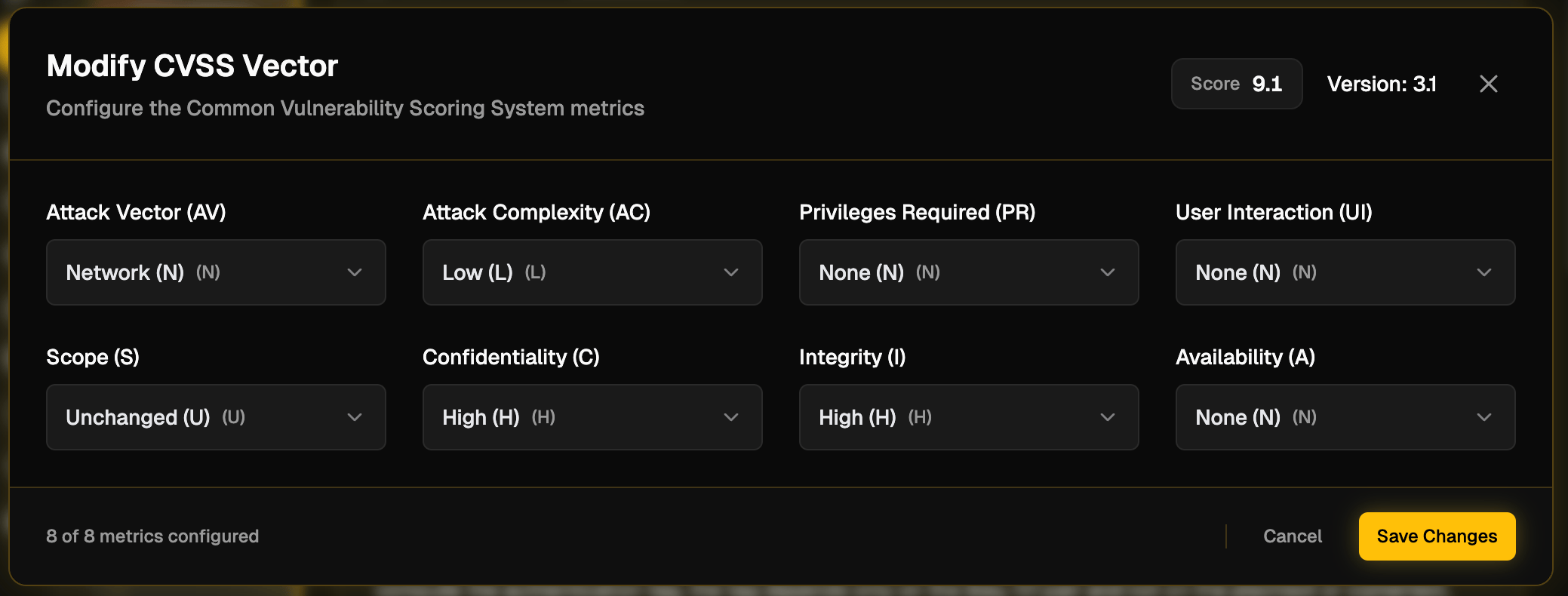
- Issue listings
- Risk summaries
- Compliance and security reports
CVSS Version Selection
In addition to CVSS 3.1, Krait supports CVSS version 4.0. Users can choose which CVSS version to apply when evaluating vulnerabilities. This allows teams to:- Align with evolving industry standards
- Match internal risk frameworks
- Prepare for future audit or reporting requirements
How to change CVSS Version
To change the CVSS version, the user needs to navigate to SLA and CVSS from Workspace Settings. The user must be the workspace Owner, or an Administrator or Manager to change the CVSS version.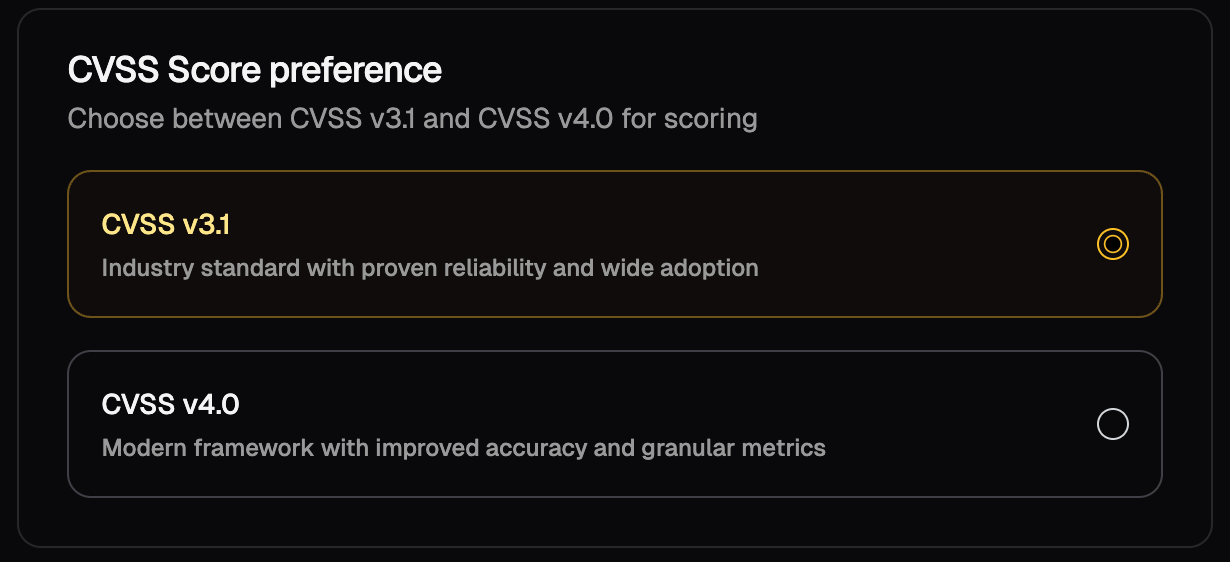
Why Severity Customization Matters
Not all vulnerabilities pose the same risk in every environment. By allowing CVSS vector and version customization, Krait enables teams to:- Reduce noise from over-inflated severities
- Focus remediation on issues that matter most
- Align vulnerability prioritization with real operational risk
- Maintain accurate and defensible security reporting