Connect your DNS provider
Connect your DNS provider to automatically fetch your domains and subdomains, or add them manually.
AWS Route 53
Connect AWS Route 53
Cloudflare
Connect Cloudflare
Manual
Add domains manually
Start scanning
Initiate a scan on your domains to detect vulnerabilities. Your domains are now being scanned for security vulnerabilities. This may take a few minutes depending on the number of domains and subdomains.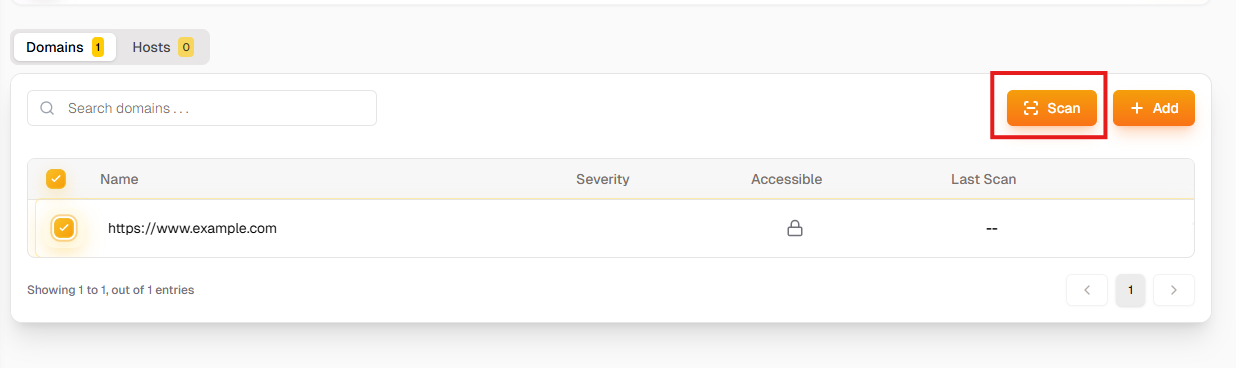
View findings
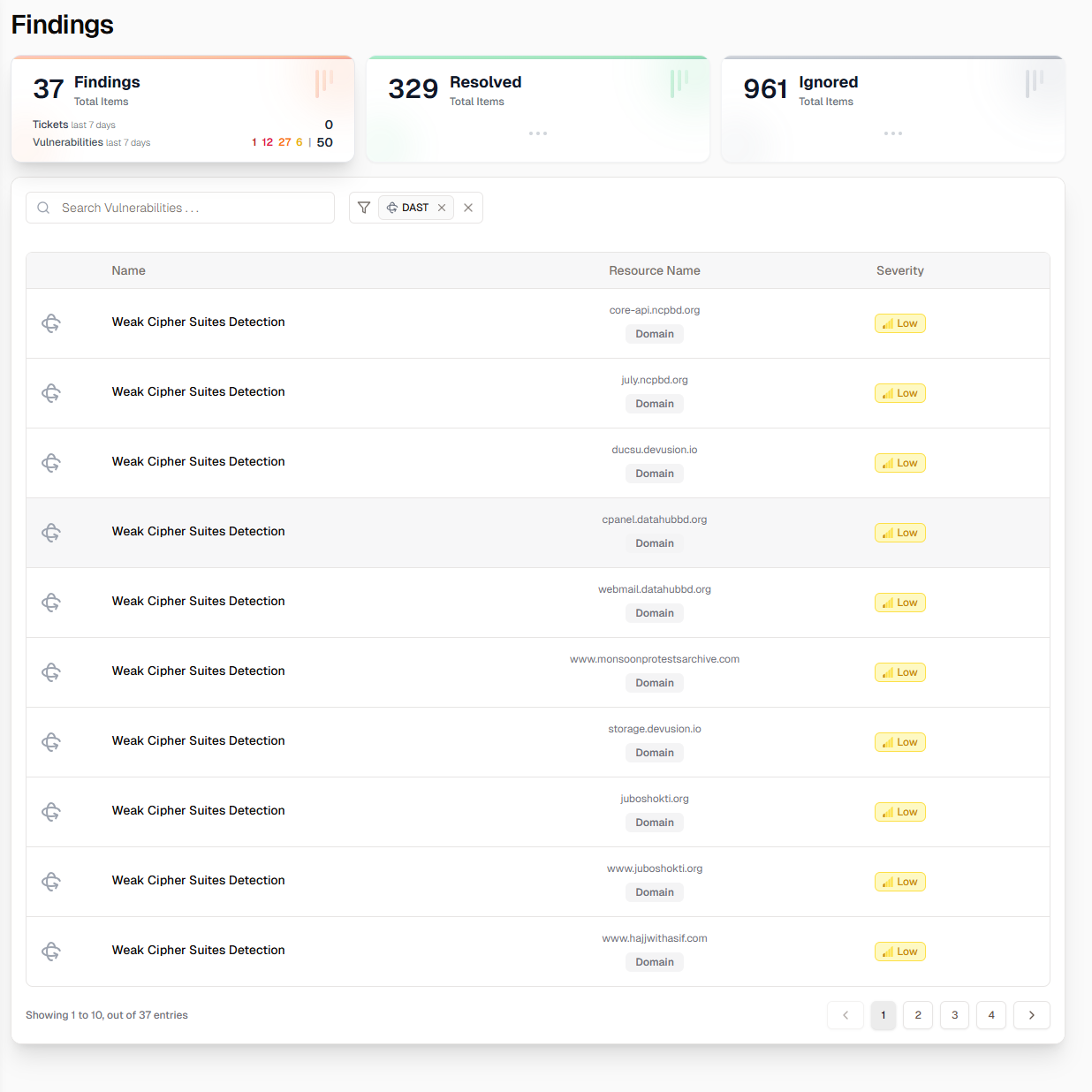
Analyze Findings
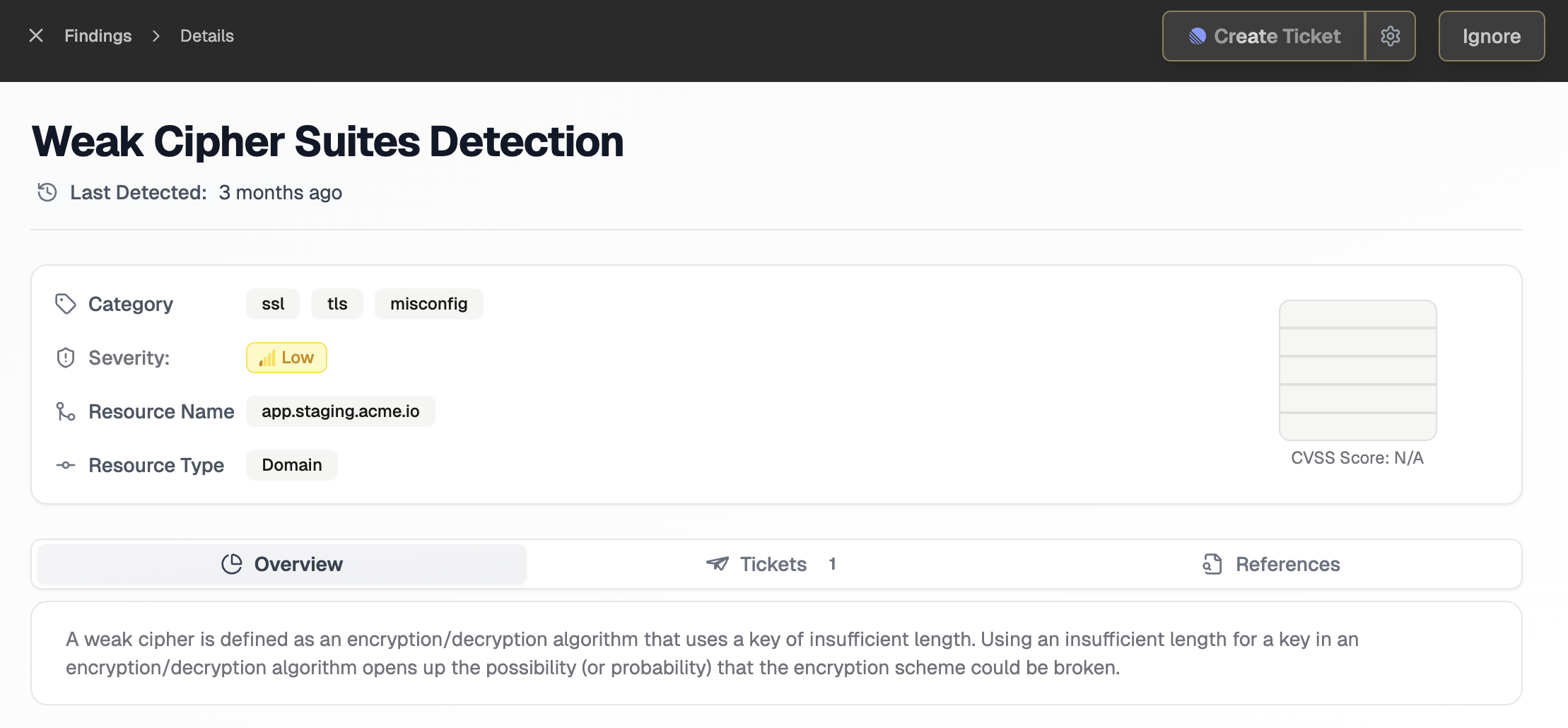
By clicking on any finding, you will see its detail. You will find a short explanation, the code snippet, catagory, severity, CVSS score, references. If a issue is present multiple times, Krait will only show one finding and group all the instances together. You can also create a ticket from the findings page.