1
Connect Your VCS
Select your Version Control System of choice.
GitHub
GitLab
2
Sync Repositories
After connecting your VCS, sync the repositories you want to scan. The number of repositories you can add will depend on the type of workspace you have.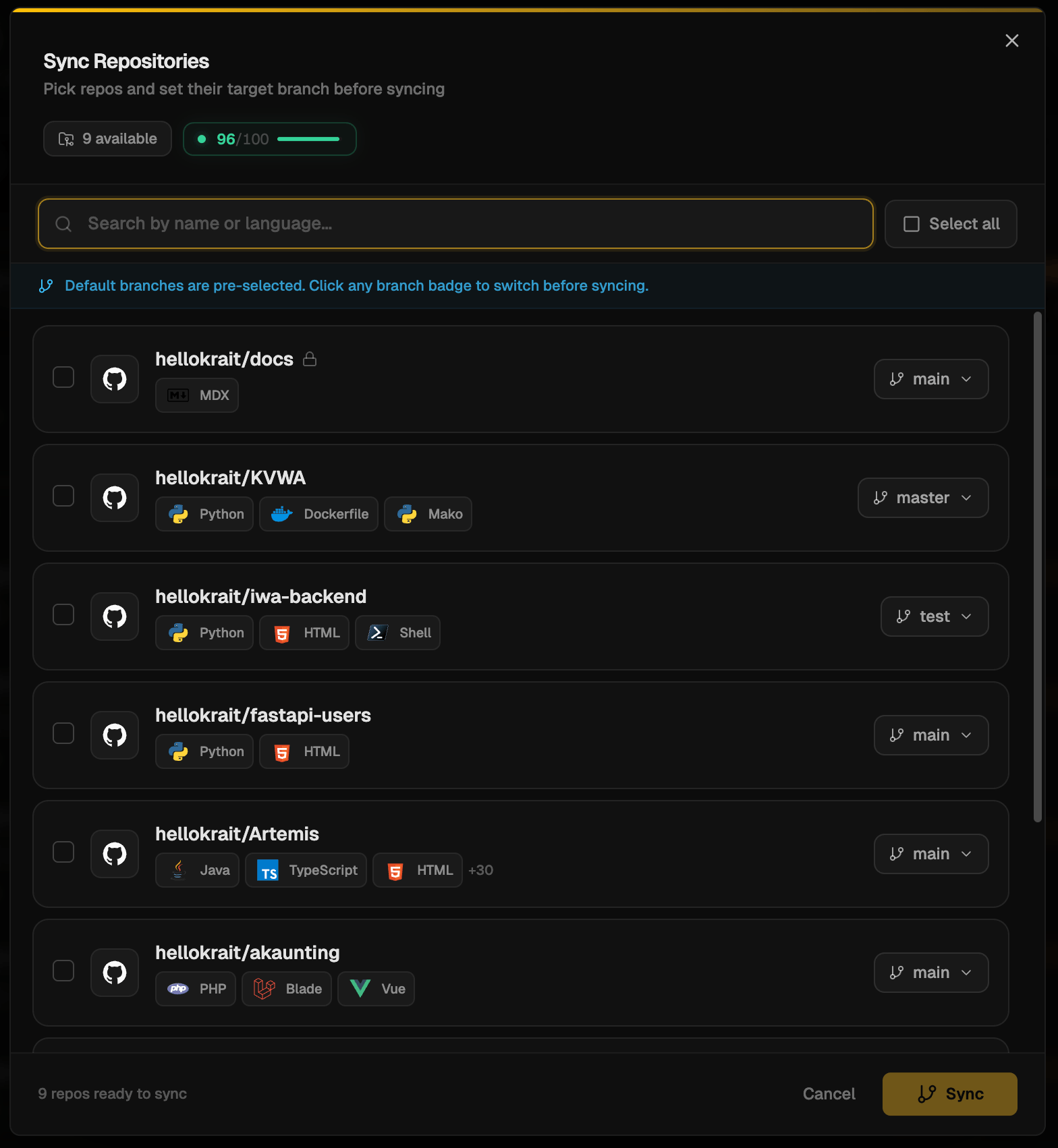
3
Start Scanning
Initiate a scan on your selected repositories. As soon as you initiate, your repositories will start to be scanned for security vulnerabilities. This may take a few minutes depending on the size of your codebase.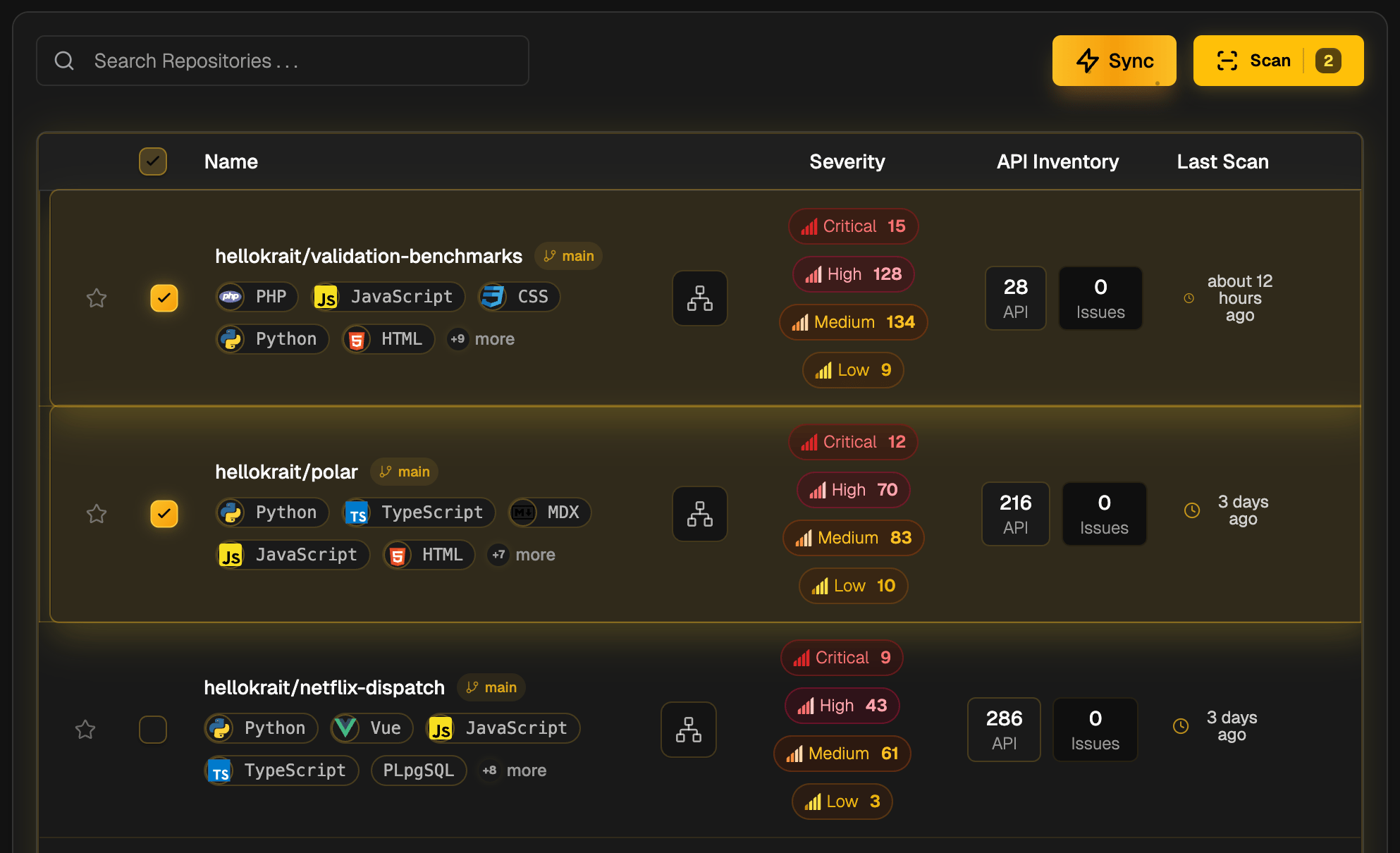
4
View Findings
Once the scan completes, a list of all findings with their information will appear on the page.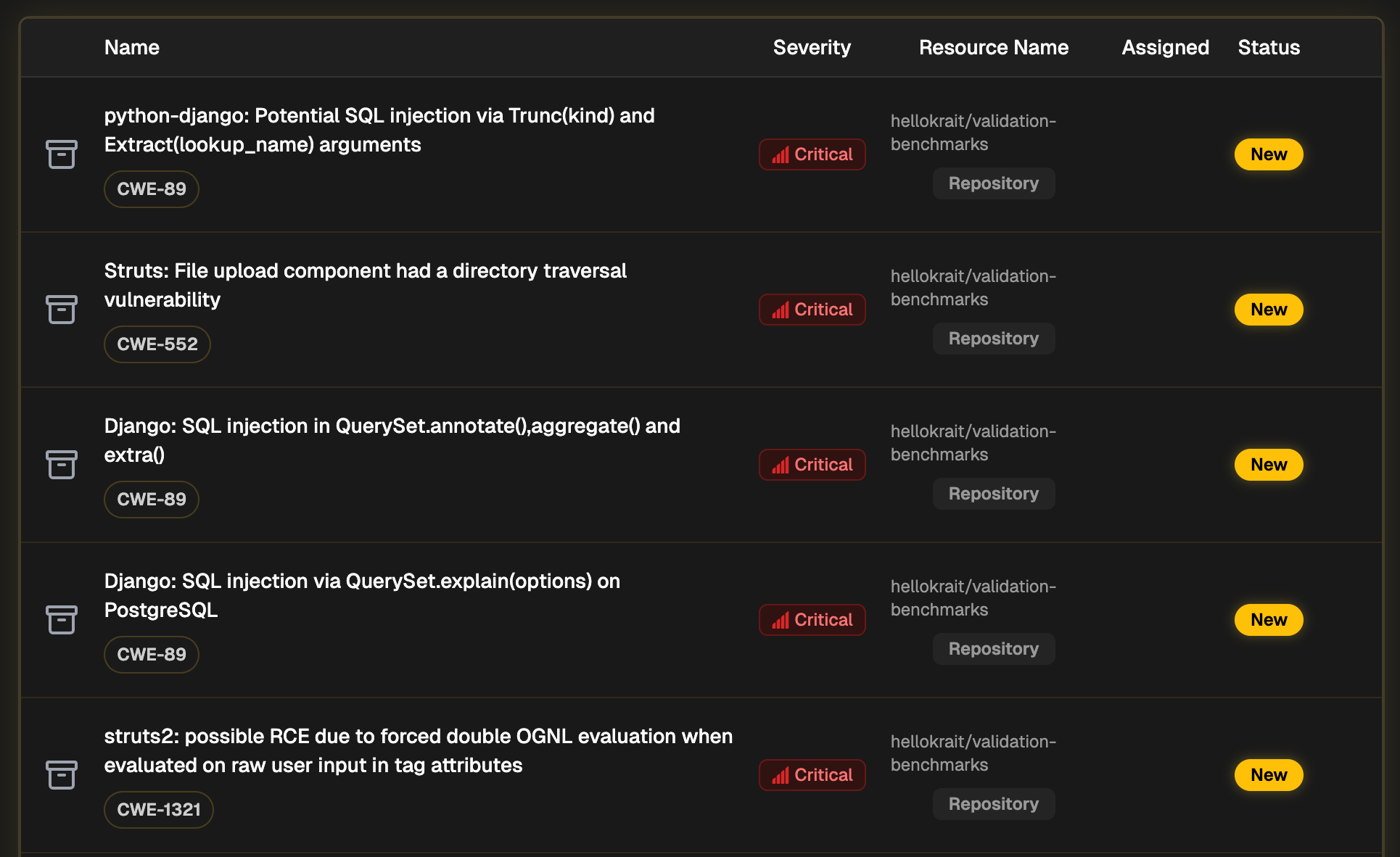
5
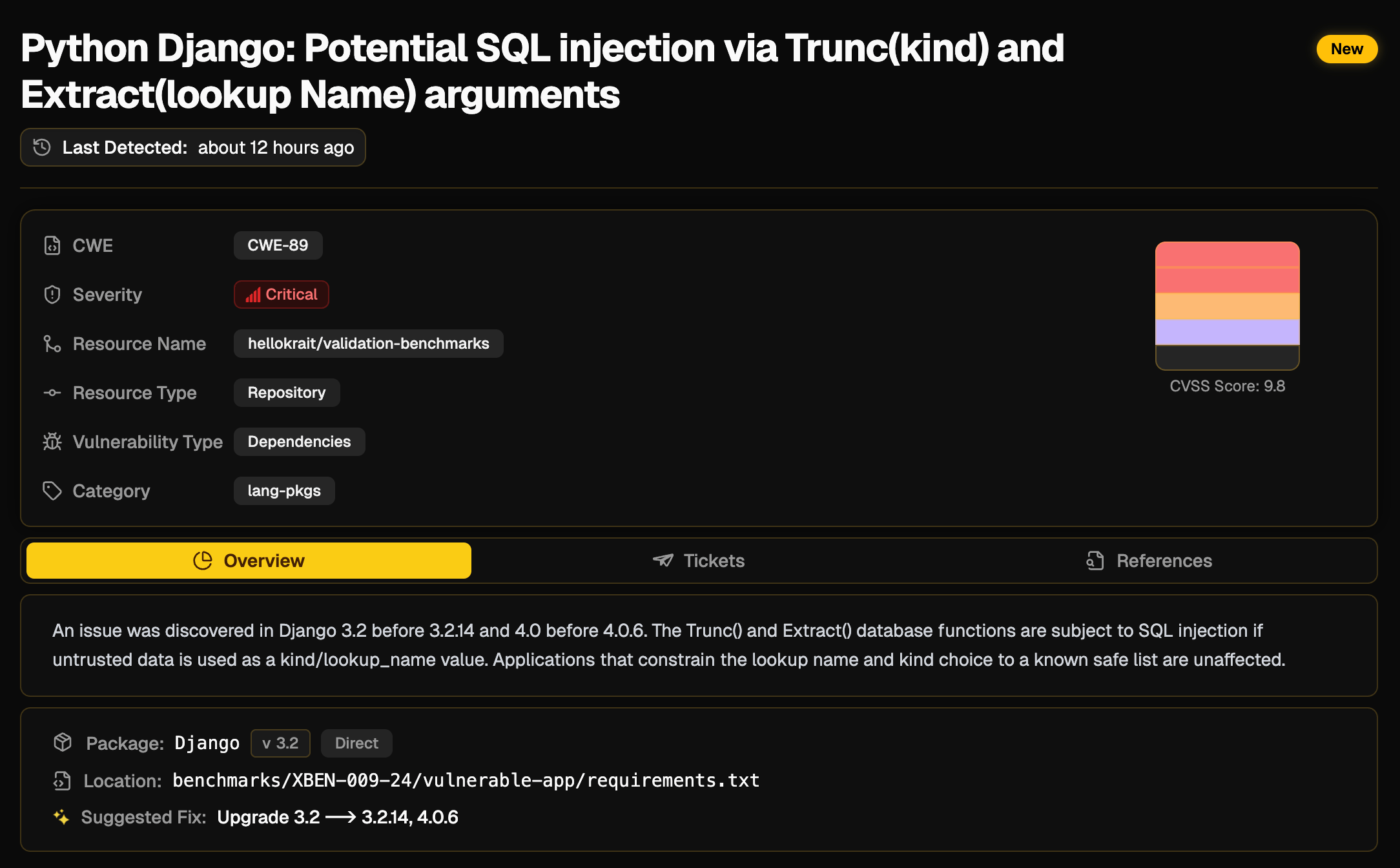
Analyze Findings
By clicking on any finding, you will see its detail. You will find a short explanation, the code snippet, catagory, severity, CVSS score, references. If a issue is present multiple times, Krait will only show one finding and group all the instances together. You can also create a ticket from the findings page.