

Overview
Every time Krait scans a repository, it constructs a full dependency tree derived from your lock files and package manifests. The tree maps every package your application depends on, whether directly declared or pulled in transitively, so you always know exactly what is running in your code.Reading the Tree
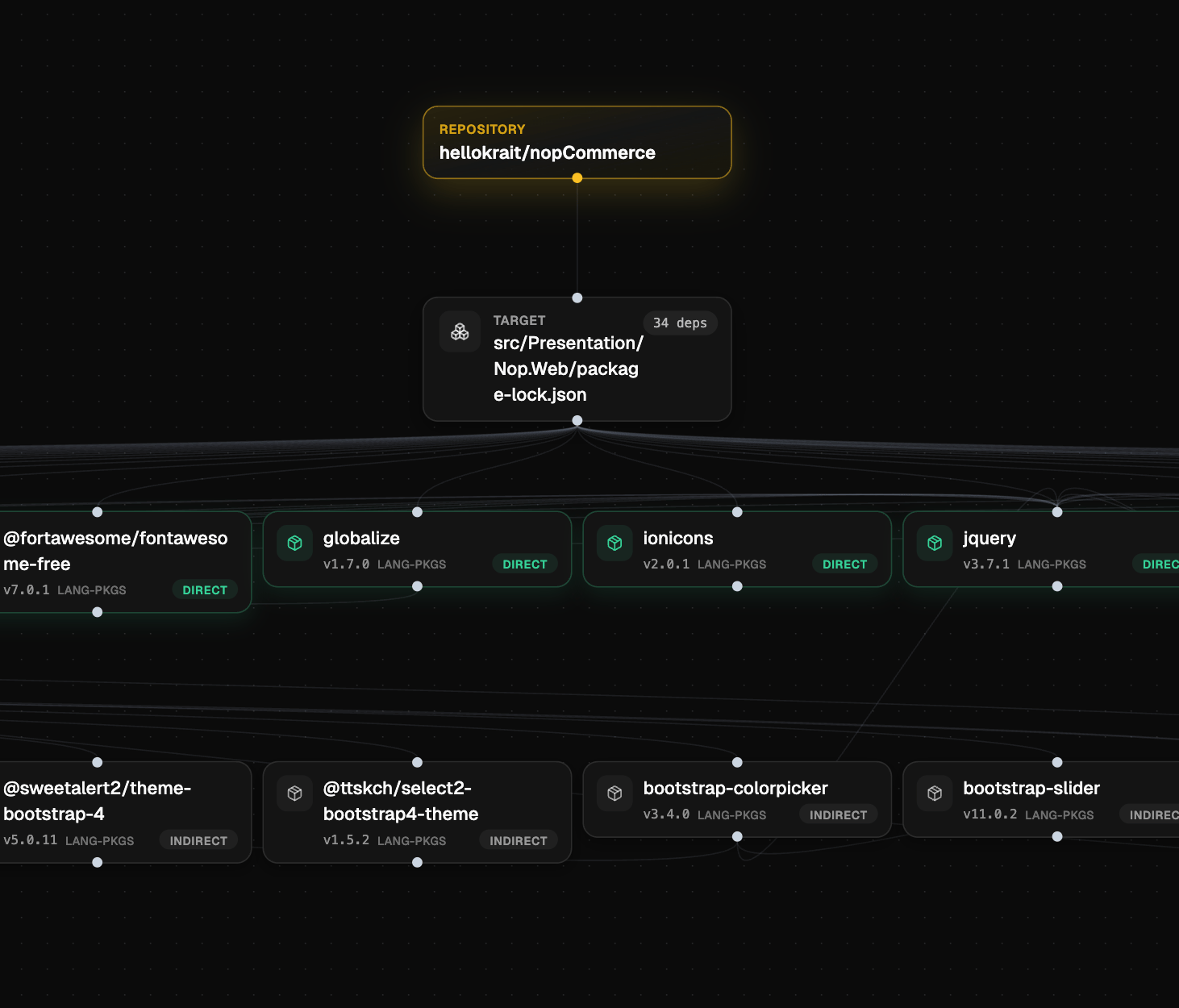
The dependency tree is an interactive graph. Your repository sits at the top, followed by the target manifest file, which branches out into all resolved packages. Each node in the tree displays:- Package name and the organization or author it belongs to
- Resolved version
- Package type (e.g.
LANG-PKGS) - Dependency kind:
DIRECTorINDIRECT
Navigating the Tree
Large repositories can have hundreds of nodes. Krait loads a subset by default and gives you two ways to explore the rest:- Pan across the graph to move through visible nodes
- Search by package name or target to jump directly to a specific node and expand its connections
Why It Matters
Understanding your full dependency graph helps your team:- Identify transitive risk — a vulnerability in an indirect dependency is just as exploitable as one in a direct dependency
- Trace the chain — see exactly which of your direct packages introduced a vulnerable transitive dependency
- Prioritize remediation — understand whether a vulnerable package is widely used across your dependency graph or isolated to one branch
- Audit third-party exposure — get a clear count of how many external packages your application actually depends on at runtime