

Overview
AI Autofix connects Krait to your version control system to create fix pull requests directly from security findings. Krait shows you the recommended fix before any PR is created, and for dependency vulnerabilities you choose the exact version to upgrade to. Once you are satisfied, Krait opens the PR and your team reviews and merges it like any other code change. Autofix is available for two categories of findings:- Dependency vulnerabilities detected during code scanning
- API Inventory vulnerabilities detected during deep scanning
Setup
Autofix requires a one-time installation of the Krait AutoFix app on your version control system. This gives Krait permission to open pull requests on your behalf.1
Go to Integrations
Navigate to Integrations and select your version control system — either GitHub or GitLab.
2
Install the AutoFix app
Locate the AutoFix app for your platform and click to install it.
- For GitHub: GitHub AutoFix
- For GitLab: GitLab AutoFix
3
Grant permissions
Review and approve the requested permissions. These allow Krait to open pull requests and merge requests on your connected repositories.
You only need to complete this setup once per workspace. All workspace members can use Autofix after the app is installed.
Finding Autofixable Issues
There are two places to find findings that are eligible for Autofix. Autofixable page A dedicated page that lists every finding across all your resources that Krait can automatically fix. Use this as your starting point for bulk remediation. Individual finding page Open any finding and go to the Recommended Fixes tab. If an automated fix is available, it will appear here along with a preview of the proposed change before you create the PR.Dependency Autofix
When Krait detects a vulnerable dependency, it identifies available patched versions and lets you choose which one to upgrade to before creating the PR.1
Open the finding
Navigate to the vulnerable dependency finding and select the Recommended Fixes tab.
2
Select a version
Krait lists the available patched versions of the package. Select the version you want to upgrade to.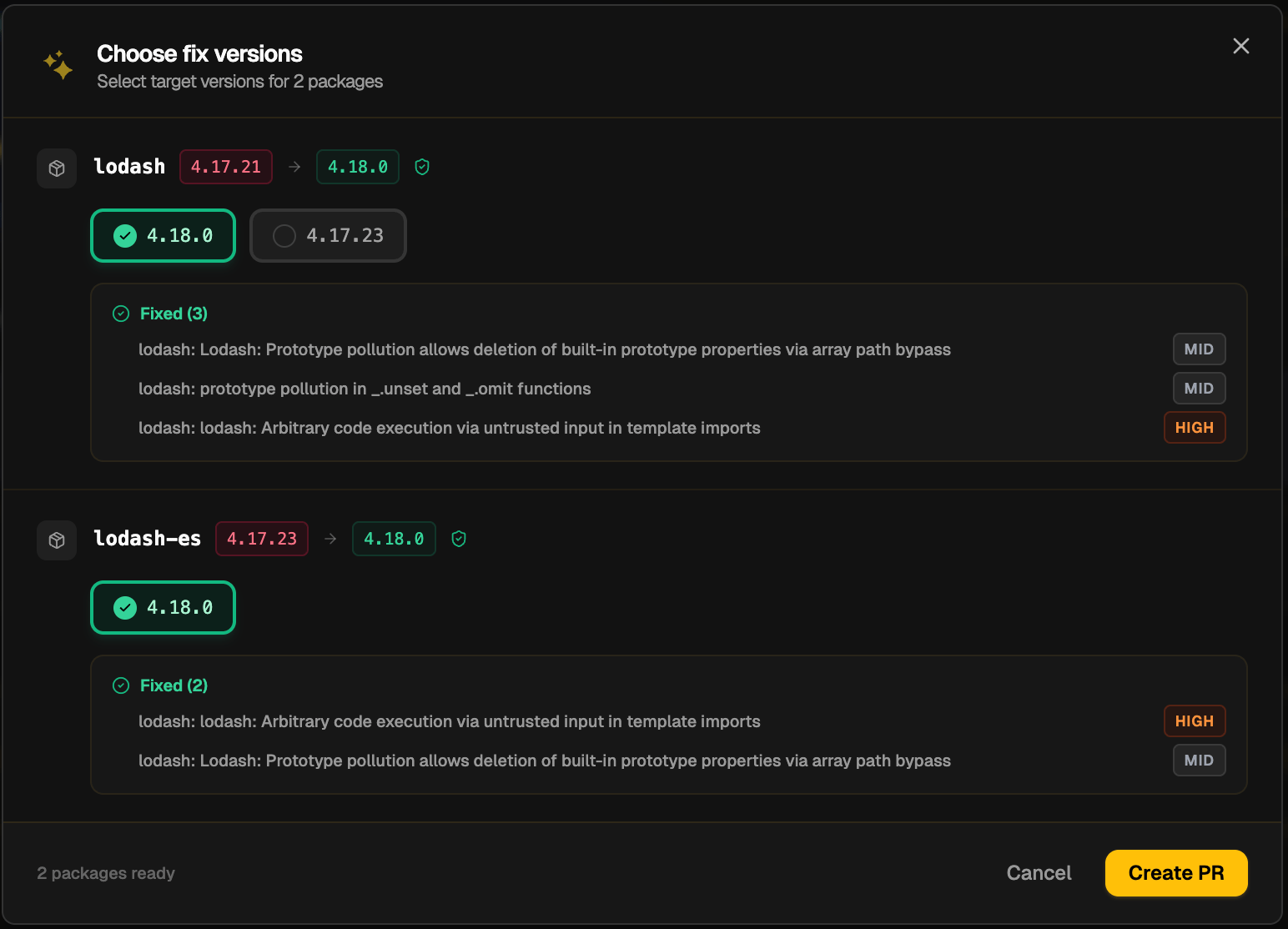
3
Create the PR
Review the proposed change and click Create Fix PR. Krait opens a pull request on your connected repository with the dependency update applied.
4
Review and merge
Your team reviews the PR in GitHub or GitLab and merges it to apply the fix.
API Inventory Autofix
For vulnerabilities discovered through the API Inventory, Krait generates a code-level fix based on the specific issue found in your endpoint logic.1
Open the finding
Navigate to the API Inventory finding and select the Recommended Fixes tab.
2
Review the recommended fix
Krait displays the proposed code change. Review it to confirm it addresses the issue correctly.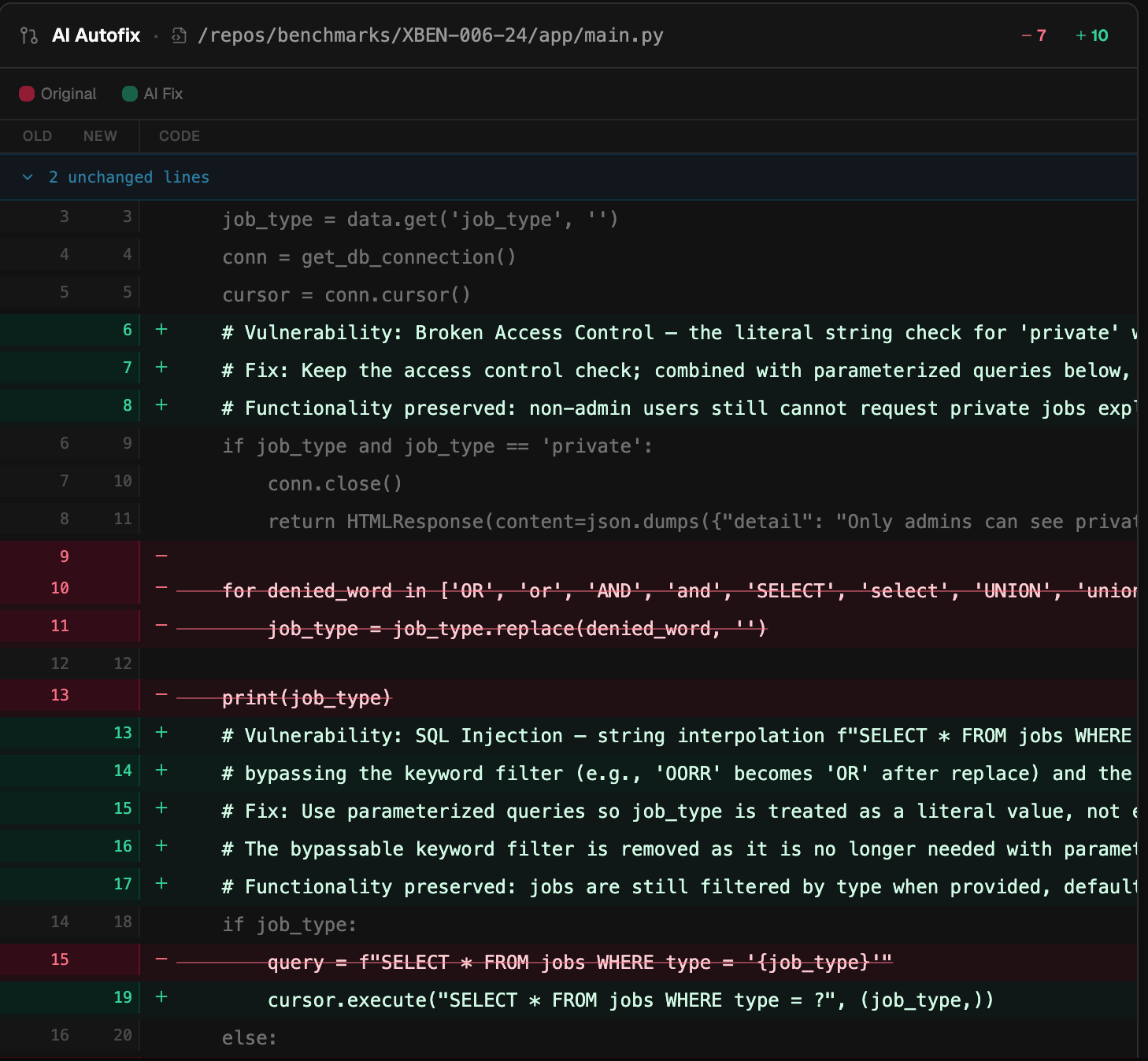
3
Create the PR
Click Create Fix PR. Krait opens a pull request on your connected repository with the fix applied to the relevant file.
4
Review and merge
Your team reviews the PR in GitHub or GitLab and merges it to apply the fix.