

Overview
The Posture Intelligence Report is a per-repository PDF generated from a completed scan. It captures everything Krait knows about that repository at the time of the scan: the risk index, every finding, the full API surface, vulnerable dependencies, autofixable packages, and a CWE threat map. It is designed to be handed off. Auditors get structured technical evidence. Stakeholders get a risk summary. Engineering teams get an actionable remediation list.How to Generate a Report
1
Open the repository
Navigate to the repository you want to generate a report for.
2
Click Generate Report
Select Generate Report from the repository page.
3
Select sections
Choose which sections to include in the report. You can include any combination of Executive Summary, Findings Catalog, API Inventory, Autofixables, Dependencies, and CWE Concentration.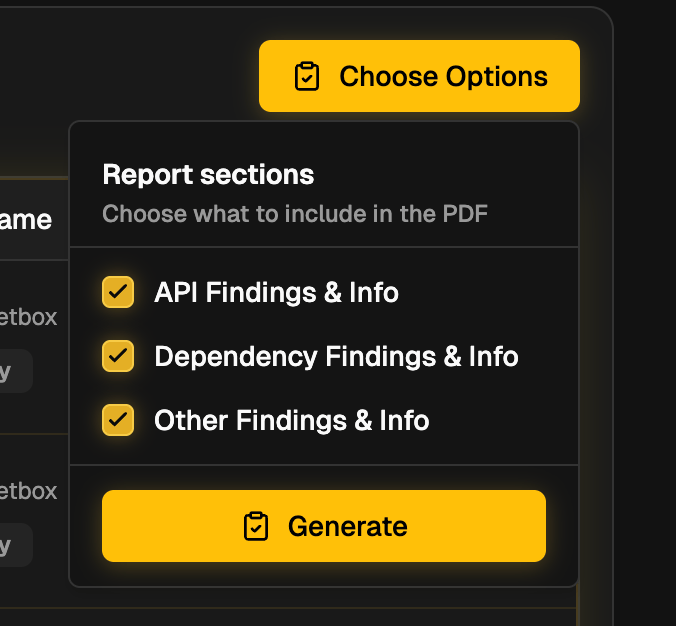
4
Generate and download
Click Generate. Krait will compile the selected sections into a PDF, which you can download and share.
What the Report Contains
The report is divided into six sections.01 Executive Summary
A high-level view of the repository’s current risk posture.- Active issues - total open findings and what percentage of the catalog they represent
- Resolved - findings that have been closed
- False positives - findings triaged as non-issues
- Risk Index - a weighted score from 0 to 100 calculated as follows:
02 Findings Catalog
Every finding detected in the repository, grouped by type and sorted by severity. Each entry includes:- Severity level
- Finding name and description
- CVE identifier
- Number of affected locations in the codebase
- CVSS score
- Whether an Autofix is available
03 API Inventory
A full map of the HTTP surface exposed by the repository, derived directly from source code.- Total routes discovered
- Affected routes carrying at least one finding
- Clean routes with no attached findings
- Route findings total count
- API Deep Scan vulnerability types - breakdown across Broken Access Control, SSRF Injection, SQL Injection, RCE, and XSS
- Routes by HTTP method - distribution across GET, POST, PUT, DELETE, etc.
- Route inventory - individual affected routes sorted by finding count
04 Autofixables
All dependency upgrades that Krait can apply automatically through an Autofix PR. Each package entry shows:- Current installed version
- The version to upgrade to
- Number of findings that would be closed by the upgrade
05 Dependencies
A health overview of the repository’s third-party supply chain.- Total active dependencies and their composition (production vs dev/build)
- Number of vulnerable packages and autofixable candidates
- Scan activity history including total scans run, success rate, and last completed scan date
- Top vulnerable packages ranked by finding count, with autofix availability indicated